
How-to: Enable nvim Color Schemes in tmux Windows
Published:
I am constantly using ssh to remotely login to different compute clusters
(e.g., DKRZ’s Levante, ECMWF’s Atos, local clusters at work, etc.). I find it
much more convenient to use a terminal-based text editor like
neovim coupled with the standard terminal
multiplexer tmux in order to switch easily
between several programs in one terminal. However, I quickly encountered an
issue where my neovim color scheme was not displayed when using it within tmux.
Fortunately, there’s an easy fix to this issue that I cover in this article. I
first show the problem and the expected behavior, diagnose the error, and then
correct it accordingly. I document the solution here and tie to use with
legacy systems.
When launching neovim with tokyo-moon colorscheme in a regular terminal (I’m
using Lubuntu 22.04 LTS with default terminal qterminal), you can clearly
see the expected color scheme:

After launching tmux and inspecting the same file, however, I was only seeing the default neovim color scheme:
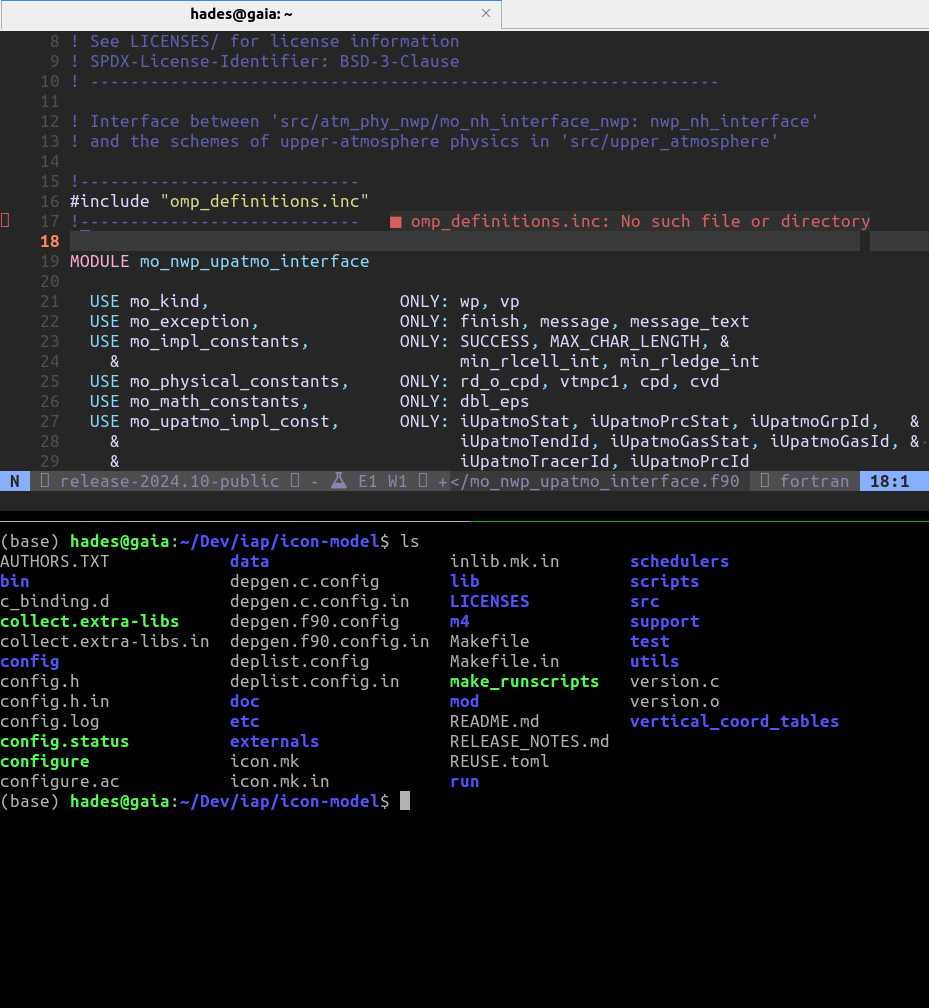
Luckily, neovim makes diagnosing problems very easy. Launching neovim and
calling :checkhealth revealed the following:
1
2
3
4
5
6
7
8
9
10
tmux ~
- ✅ OK escape-time: 0
- ✅ OK focus-events: on
- $TERM: screen-256color
- ⚠️ WARNING True color support could not be detected. |'termguicolors'| won't work properly.
  - ADVICE:
    - Add the following to your tmux configuration file, replacing XXX by the value of $TERM outside of tmux:
      set-option -a terminal-features 'XXX:RGB'
    - For older tmux versions use this instead:
      set-option -a terminal-overrides 'XXX:Tc'
Look at that! We are given an exact warning regarding colors in the terminal.
More importantly, we are given advice on how to fix it. I then updated
~/.tmux.conf accordingly:
1
echo set-option -a terminal-featuers \'xterm-256color:RGB' >> ~/.tmux.conf
The above solution worked locally, but when I ssh’ed into Levante, I found I
had the same issue still. When working with compute clusters, it’s not uncommon
to encounter very old versions of software. This is precisely the case for the
version of tmux on DKRZ’s Levante. That version is 2.7 and is from 2013.
Needless to say, all the latest features of tmux aren’t supported there.
Fortunately, :checkhealth also provides the solution in such cases! On
Levante, the following did the trick:
1
set-option -a terminal-overrides \'xterm-256color:Tc\' >> ~/.tmux.conf
You may also be thinking: “Why didn’t you just install a more recent version of tmux on Levante and use that?” Well, I did, in fact, try this. For whatever reason, the tmux server would, however, periodically crash. Rather than trying to figure out the cause, I lazily downgraded back to the original tmux version that I knew was stable. Sometimes it’s better to just use what works. If fundamentally I am using tmux as a productivity tool, and I did not want to invest time to figure out the root of the periodic crashes of the latest version.
Maybe in a future article I will document the debugging journey, but for now, I will conclude :)